 VidSnag
Home/YouTube Downloader
Free YouTube Downloader
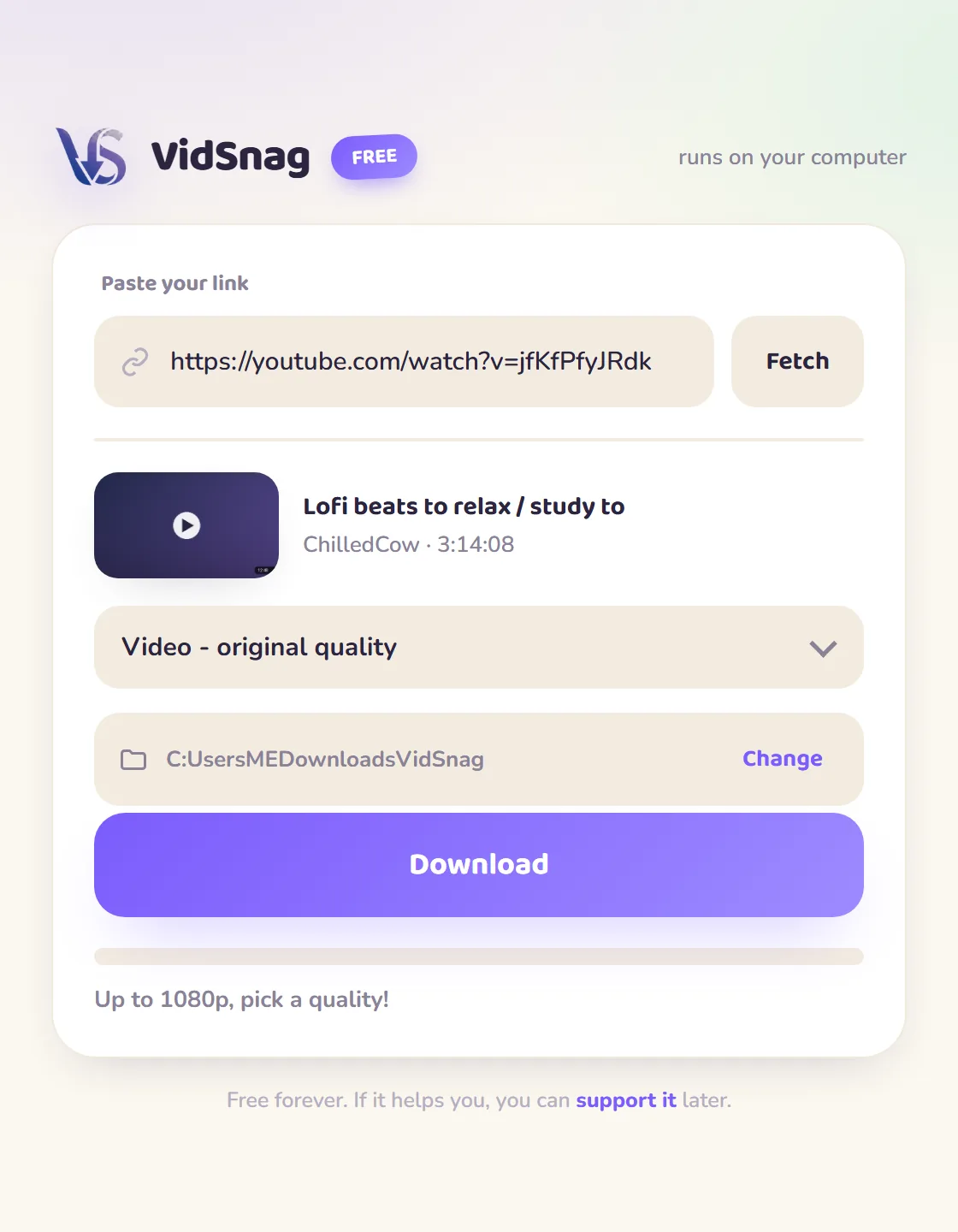
VidSnag is a free YouTube downloader for Windows. Paste a video link, pick a quality (up to 4K) or choose MP3 for audio only, and download. It runs on your own computer with no ads, no pop-ups, no fake buttons, and no account, the opposite of the online YouTube downloader sites.
Most "free YouTube downloaders" are websites stuffed with pop-ups and fake download buttons, and they quietly cap you at 720p to push a paid upgrade. VidSnag is a small desktop app instead: it grabs the real file at full quality, straight to a folder you choose, with nothing in the way.
Download VidSnag free for Windows
Free YouTube downloader. No ads, no pop-ups, no account.
Download VidSnag freeWhat you can download from YouTube
VidSnag uses the open-source yt-dlp engine, so it handles the full range of YouTube content:
- Video up to 4K: grab the sharpest version a video offers, or step down to 1080p, 720p, or 480p to save space.
- MP3 audio: just want the sound of a song, podcast, or lecture? Pull audio only and skip the video file.
- Regular videos, Shorts, and music videos: paste any YouTube link and VidSnag reads the title, thumbnail, and available qualities.
How to download a YouTube video
- Get VidSnag. Download and open the app. No account, nothing to sign up for.
- Copy the YouTube link. Hit Share on the video, or copy it from your browser's address bar.
- Paste and pick a quality. Drop the link in, choose 4K down to 480p, or MP3.
- Download. It saves to the folder you choose. No tabs open, no redirects.
Online YouTube downloader vs VidSnag
| Online sites | VidSnag | |
|---|---|---|
| Pop-ups & fake buttons | Common | None |
| Max quality | Pre-merged 720p (DASH streams skipped) | Up to 4K, merged with ffmpeg |
| MP3 audio | Re-encoded from the 720p file | Pulled from the original audio stream |
| Throttling | Server IP hits YouTube rate limits | Normal browser-like request from your PC |
| Price | "Free" with upsells | Actually free |
Why a desktop YouTube downloader is safer
The quality gap is technical, not just cosmetic. Above 720p, YouTube does not serve one finished file: it sends video and audio as separate DASH streams (a 4K video track plus a matching audio track) that have to be stitched back together with ffmpeg. A desktop app like VidSnag runs ffmpeg locally and merges them, so you actually get 1080p, 1440p, or 4K. Ad-funded web tools skip that merge step to save server cost, which is why they so often hand you a pre-merged 720p file and call it the maximum.
There is a second reason the web version struggles. YouTube rate-limits and bot-detects bursts of requests from a single data-center IP, so a busy online downloader gets throttled or blocked mid-job and falls back to whatever low stream still works. A local app sends one normal browser-like request from your own connection, so it pulls the real file at full quality with no ad-funded webpage in the middle, and nothing about your link gets uploaded or tracked. If you want the full walkthrough, see our guide on how to download YouTube videos.
Frequently asked questions
Is this YouTube downloader really free?
Yes. VidSnag is completely free, with every feature included and no trial or paywall. It's funded by optional donations, not ads.
Is it safe?
Yes. It runs locally, bundles no adware, and is open source on GitHub with a published SHA-256 checksum and a clean VirusTotal scan, so you can verify it yourself.
Do I need YouTube Premium?
No. You don't need Premium or any account. You just paste a public video link and download it.
Can it download YouTube videos in 4K?
Yes, if the video was uploaded in 4K you can save it in 4K, or step down to 1080p, 720p, or 480p.
Can it convert YouTube to MP3?
Yes. Choose the MP3 option instead of a video quality and VidSnag saves audio only as an MP3 file.
Does it work with YouTube Shorts?
Yes. Paste a Shorts link the same way you would a regular video.
Do I need an account?
No account, no sign-up. Open the app, paste a link, download.
Is downloading YouTube videos legal?
You're responsible for what you download. Respect copyright and YouTube's terms, and only save content you have the right to keep.