 VidSnag
Home/Instagram Story Downloader
Free Instagram Story Downloader
VidSnag is a free Instagram Story downloader for Windows. Paste a public Story or profile link, and save the Story video or photo in its original quality, straight to your computer. It runs locally with no ads, no pop-ups, no fake buttons, and no account (the opposite of the online Story-saver sites).
Stories vanish after 24 hours, so most people reach for a "free Story saver" website only to find pop-ups, fake download buttons, and a watermark stamped across the result. VidSnag is a small desktop app instead. It pulls the real file at full quality and drops it in a folder you choose, with nothing in the way.
Download VidSnag free for Windows
Free Instagram Story downloader. No ads, no pop-ups, no account.
Download VidSnag freeWhat you can save from Stories
VidSnag uses the open-source yt-dlp engine, so it handles the different things a public Story can hold:
- Story videos. Save the full clip as a video file, exactly as it was posted.
- Story photos. A Story can be a still image too, and VidSnag saves the photo at full resolution.
- Highlights. The saved Stories pinned to a public profile work the same way as a live Story.
- Original quality. No re-encoding and no watermark, just the file the account uploaded.
How to download an Instagram Story
- Get VidSnag. Download and open the app. There is no account and nothing to sign up for.
- Copy the Story link. Open the public Story or profile, tap the three dots or share icon, and copy the link. You can also copy the profile link from your browser.
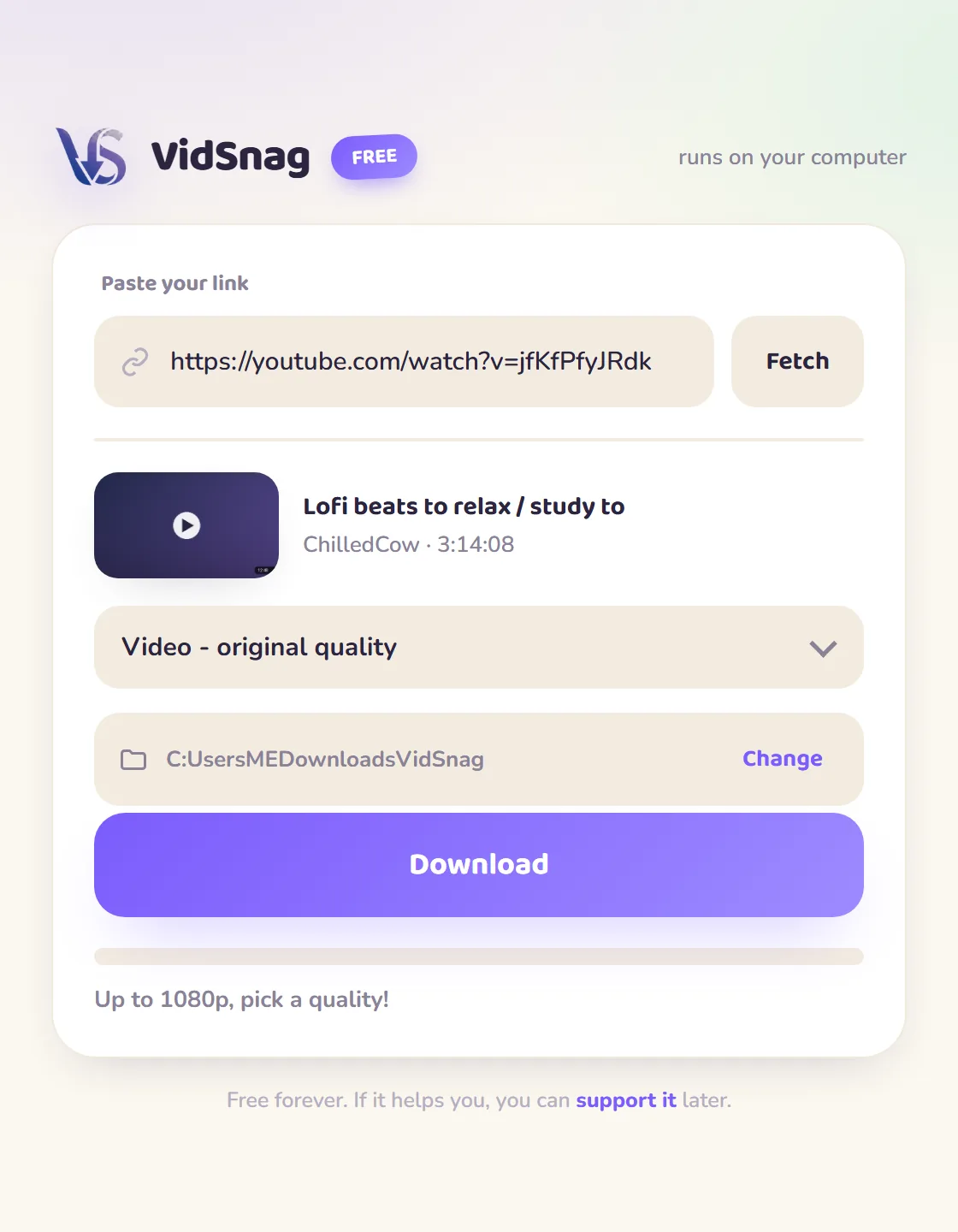
- Paste the link. Drop the link into VidSnag. It reads the available Story video or photo and shows it ready to save.
- Download. Save the Story to the folder you choose, in its original quality. No tabs open and no redirects.
Online Story saver vs VidSnag
| Online sites | VidSnag | |
|---|---|---|
| Pop-ups & fake buttons | Common | None |
| Watermark on the file | Often added | Never |
| Story photos | Sometimes | Yes |
| How it reaches the Story | Asks for your login | Uses your own session |
| Where your credentials go | Onto their server | Nowhere, stay on your PC |
| Price | "Free" with upsells | Actually free |
A note on privacy and public content
Stories disappear after 24 hours, and most of them are only visible once you are logged in and following the account. That is exactly why so many "free Story saver" websites end up asking for your Instagram username and password: their code runs on a faraway server with no session of its own, so it cannot see a Story you can see, and the workaround is to borrow your login. Handing those credentials to a random site is how accounts get hijacked. VidSnag never asks for them. It runs on your own computer and uses the session you are already signed into, so it can save a Story you can genuinely view, at original quality, without notifying the poster and without sending your username, password, or even the link anywhere. It does not bypass privacy: a Story you cannot see stays out of reach, and you are responsible for what you keep, so respect copyright and Instagram's terms and only save content you have a right to. If you want to grab posts and Reels as well, see the general Instagram downloader page, or read the full walkthrough on how to download Instagram videos.
Frequently asked questions
Is this Instagram Story downloader really free?
Yes. VidSnag is completely free, with every feature included and no trial or paywall. It's funded by optional donations, not ads.
Can I download private Stories?
No. VidSnag only works with public content you have a right to view. It cannot reach a private Story and does not bypass Instagram's privacy.
Does it notify the user when I download their Story?
No. VidSnag does not interact with the account, so the person who posted the Story is not notified that you downloaded it.
Does the saved Story have a watermark?
No. VidSnag saves the original file with no watermark and no re-encoding, exactly as it was posted.
Can I save Story photos, not just videos?
Yes. A Story can be a still image, and VidSnag saves the photo at full resolution as well as video clips.
Does it work with Highlights?
Yes. Highlights are saved Stories pinned to a public profile, and they download the same way as a live Story.
Do I need an account?
No account, no sign-up. Open the app, paste a public link, download.
Is it safe?
Yes. It runs locally, bundles no adware, and is open source on GitHub with a published SHA-256 checksum and a clean VirusTotal scan, so you can verify it yourself.